Editing Different Skin Tones in Wedding Photos
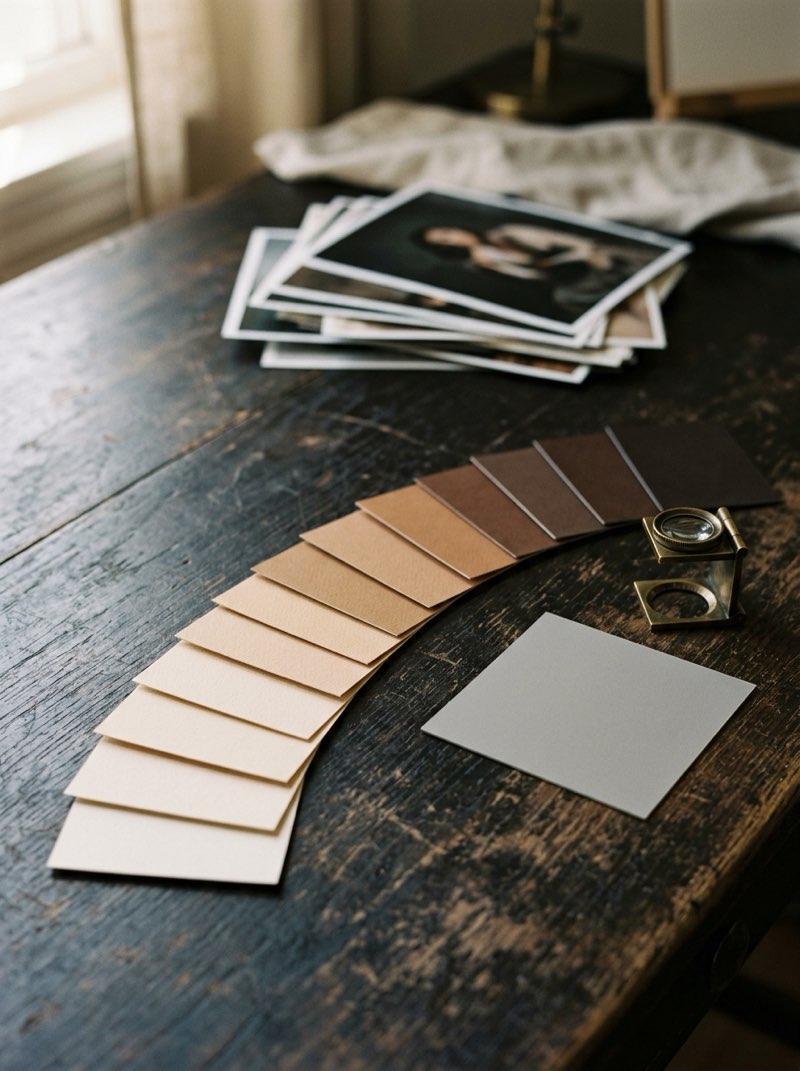
A single preset or white balance cannot be right for every complexion in a wedding party, because both apply the same change to everyone in the frame. Set white balance from something neutral, expose so the lightest skin keeps its detail, and correct individuals with local adjustments. The aim is for each person to look like themselves, not for everyone to match.
Most of what you find on this is about portraits of one person, or about presets sold as working on every skin tone. A wedding is the harder case: two families, a wedding party and a couple who may have very different complexions, all in the same frame and under the same light.
Why does one preset fail a mixed group?
Every global adjustment is applied to every face at once. A preset tuned on one complexion and applied to a group shifts every other face in the frame the same way, and the results are rarely equal.
- Lifted blacks and matte finishes flatten deeper skin first, because more of it sits in the tones being lifted. It loses contrast and can turn gray or ashy.
- Pushing orange saturation to warm one face pushes every face, because almost all skin, light or deep, sits in the same orange and red hues. Lighter skin turns orange, and deeper skin can turn red or muddy.
- Brightening the whole frame to lift one person clips the highlights on everyone else, starting with the lightest skin and the dress.
None of this shows on a portrait of one person. It shows on the family formals, the wedding party, and the couple themselves when their complexions differ.
What does correct actually mean?
Not the same. Correct means every person looks like themselves, which means keeping their own depth and undertone. Depth runs from fair to deep. Undertone (warm, cool, neutral or olive) varies at every depth. Pulling everyone toward one ideal skin color is the most common mistake, and it is the one people notice first in their own photos.
This is correcting the capture, not the person. Nothing about anyone's appearance is being changed. What changes is how faithfully the file shows it.
The best reference is the couple's own photos, such as an engagement session or images they have chosen to share. They know how they look, and so do their families.
What can you do on the day?
- Expose for the lightest skin and the dress without clipping them, and let deeper skin sit lower. Detail in shadows can be lifted from a raw file. Detail in clipped highlights is gone.
- Narrow the range with light. Fill flash, a reflector or open shade brings faces closer together in brightness, so less has to be done person by person.
- Shoot a grey card in each lighting setup. It gives the edit a neutral reference that does not depend on anyone's skin.
- Do not set white balance from the dress. Many wedding dresses are ivory or champagne rather than white, and balancing to one cools every face in the frame.
How should the edit be done?
- White balance from a neutral: the grey card, or something you know is neutral. Never from one person's face.
- Set the global look for the scene, then balance individuals with local adjustments. Current editing software can mask each person's face and skin separately, which makes person-by-person correction practical on the frames that need it.
- Lift a face with a local exposure adjustment that keeps its contrast and color. Raising shadows across the whole frame flattens deeper skin and drains its color.
- If your style uses a matte or muted finish, decide how far it can go on a mixed group before it costs someone their skin.
- Check on a calibrated screen. Look at the group as a whole, then at each face in turn.
Which frames need person-by-person work?
Not the whole gallery. Most frames hold one or two people under the same light, and a good global edit covers them. The frames that need individual balancing are predictable:
- Family formals and the wedding party.
- Portraits of the couple, when their complexions differ.
- Reception frames where flash lit some faces and not others.
That is a small share of a delivered gallery, and it is the share most likely to be printed and framed.
What should you tell your editor?
- That every person should look like themselves, and that skin is not to be unified across the frame.
- Which frames need person-by-person balancing, or a rule for finding them, such as every formal and every frame of the couple.
- Reference images of the couple that they have already approved, such as the engagement session.
- How far your matte or muted finish may go on deeper skin.
These lines belong in the same brief that carries your style. Without them, an editor matching your look will match it on the first face they balance and carry it across everyone else.
Color correction and style matching across a full gallery is what our Photo Edit Bundle covers, at $175 for up to 700 images. Flag the frames that need person-by-person balancing in the brief, so the work is planned rather than discovered in revisions.
The bottom line
One preset cannot be right for everyone in a mixed group, and it should not try to be. Set a neutral white balance, expose to protect the lightest skin, and balance faces individually on the frames that hold the range.
Judge the result with one question: would each person recognize themselves? If the answer is yes for everyone in the frame, the edit is right.