Editing Super 8 Footage in a Wedding Film
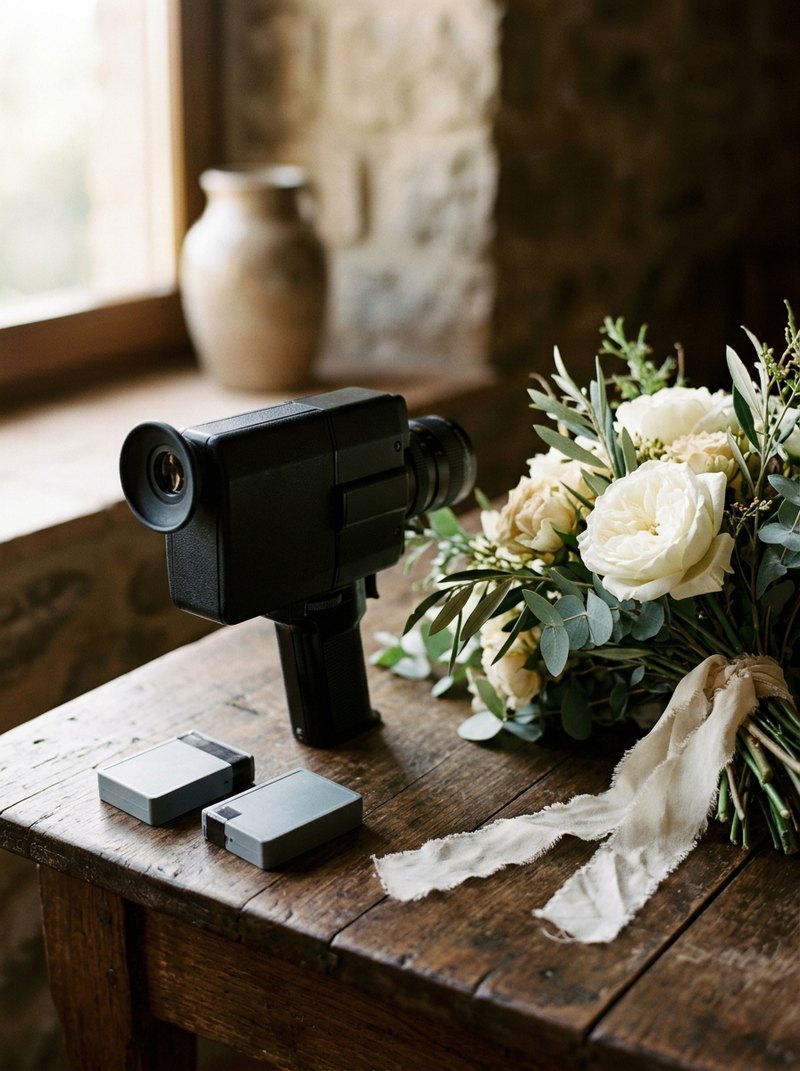
Super 8 in a wedding film is edited as its own texture, not disguised as digital. It arrives as scanned files, silent, nearly square, and often at a different frame rate from the rest of the footage. The edit decides where those few minutes go, what sound carries them and how they sit beside the digital footage, and most of those decisions are made before the film ever reaches the lab.
Search for this and you find studios selling Super 8 packages to couples, forum threads from the early 2000s and a few scanning companies. Very little covers what happens when the scans land in an editor's timeline next to a full day of digital footage.
What actually arrives from the lab?
The film is developed and scanned, so it reaches the edit as digital files like everything else. Those files differ from the rest of the wedding in a few ways:
- Very little of it. Kodak's own camera guide puts a standard 50-foot cartridge at about two and a half minutes at 24 frames per second and about three minutes twenty at 18. A wedding shot on a handful of cartridges gives you minutes, not hours.
- No sound. Super 8 film shot today carries no sound, so every word and every note under a Super 8 shot comes from another source.
- A nearly square frame, close to the 4:3 of old television rather than 16:9.
- A frame rate chosen on the day, usually 18 or 24 frames per second.
- A look decided partly by the lab: how much of the frame edge the scan shows, and how much grading it applies.
Why does the frame rate matter?
A wedding film is usually edited at 24 frames per second or close to it. Film shot at 24 drops into that timeline frame for frame. Film shot at 18 does not.
If an 18 frames per second scan plays frame for frame at 24, everything moves a third faster, and walking and dancing look hurried. If it is slowed back to real speed, the software has to repeat or blend frames, which adds a stutter of its own.
Either can be a look, but it should be a decision rather than a surprise. The fix is upstream: shoot wedding Super 8 at 24 where the camera allows it, write down which cartridges were shot at 18, and tell both the lab and the editor.
Crop or keep the square frame?
It is the same decision as any 4:3 source. Cropping to fill a 16:9 frame discards a quarter of the picture, and on Super 8 that quarter is often what made the shot. Keeping the square frame, or showing the full scanned edge of the film, tells the viewer plainly that this is film. We cover the trade-offs in our guide to editing camcorder footage in a wedding film.
Whichever you choose, choose once per film. A film that crops some Super 8 shots and borders others looks undecided.
Where does Super 8 go in the edit?
Short, silent, textured footage is strongest where nobody needs to be heard: getting ready, the walk to the ceremony, portraits, the exit, the last dance seen from the edge of the room. It is weakest where the film depends on words or on one precise moment.
- Use it in runs, not single shots. One Super 8 clip between two digital shots looks like a mistake. Ten or twenty seconds of it reads as a chapter.
- Give it the quiet moments. Vows and speeches belong to the cameras and recorders that captured them in sync.
- Let it open or close the film, where it reads as memory.
Decide where the Super 8 runs sit in the structure of the highlight before you start cutting, rather than sprinkling them in at the end.
Laying vow audio over Super 8 from another part of the day follows the same line as filling missing footage: normal in a highlight, which is impressionistic, and wrong in a documentary edit, which promises that this is what happened, in order.
Should the digital footage be graded to match?
Match warmth and contrast, so the cut between the two does not jolt. Do not add fake grain, gate weave or light leaks to the digital footage to make it look like film. Next to the real thing, imitation film looks like a filter, and it removes the one thing the Super 8 was there to provide: a difference.
Where you do need consistency is skin. Faces should read as the same people in both, which is the problem of matching multiple cameras with more grain in the way.
What should you tell the lab?
- Which cartridges were shot at 18 frames per second and which at 24.
- Whether you want the full frame edge showing, often called an overscan, or a clean frame inside it.
- Whether you want the scans graded or left flat. Flat scans give the editor more room to match the rest of the film.
- To scan every cartridge, including the ones you think failed. A light leak at the end of a roll is sometimes the best shot on it.
What should you tell your editor?
- Which cartridges cover which moments, in order, with the times you shot them.
- The frame rate of each cartridge, and whether the lab scanned it frame for frame.
- Whether the Super 8 is its own deliverable, a section of the highlight, or both.
- Your decision on the square frame.
Put the scans in their own folder next to the digital cards, with the lab's notes, so nobody mistakes them for proxies.
The bottom line
Super 8 arrives as a few minutes of silent, nearly square film at a frame rate chosen on the day. Settle the frame rate, the frame shape and the lab's grading before the film is scanned.
In the edit, give it runs rather than single shots, give it the quiet moments, and let it stay different. Its value is that it does not look like the rest of the film.